For decades, Excel has been the go-to tool for data analysis, budgeting, and reporting. Its familiarity and flexibility make it indispensable for many businesses. However, as organizations grow and data becomes more complex, traditional spreadsheets can struggle to provide the real-time insights and interactive visualizations needed for faster, data-driven decisions.
Enter Power BI, Microsoft’s powerful business intelligence platform. Unlike Excel, Power BI is designed to connect to multiple data sources, automate data refreshes, and create interactive dashboards that provide a unified view of your business. Its visual storytelling capabilities make it easier to spot trends, identify issues, and share insights with teams instantly.
Key Differences:
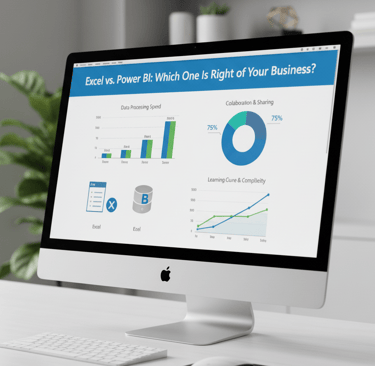
Features: Excel is great for calculations and ad-hoc reporting; Power BI excels at data modeling and visualization.
Use Cases: Excel works well for small datasets and individual analysis; Power BI is ideal for enterprise reporting and cross-departmental insights.
Visuals: Power BI offers interactive dashboards, charts, and reports; Excel is limited to static charts and tables.
Scalability: Power BI handles large datasets effortlessly and grows with your business; Excel may become cumbersome with massive data.
At StudioDataFlow, we help businesses transition from Excel to Power BI seamlessly, designing dashboards tailored to your workflows and KPIs. Move beyond spreadsheets and unlock the full potential of your data with real-time insights and smarter decision-making.